SmileAir Slideshow: Difference between revisions
Jump to navigation
Jump to search
Updatddddd |
|||
| Line 6: | Line 6: | ||
== Synopsis == | == Synopsis == | ||
When you launch the | When you launch the E-Card/Slideshow, you will see Hoops and yoyo icons with the text: "Our Vacation", if you click the arrow, you will be greeted by a screen. The screen shows [[Hoops]] and [[Yoyo]], hoops welcomes the user and says: "Hello, and welcome to SmileAir, in a few minutes, the captain will switch on our in-flight slideshow. In events of boredom, your seat cushion can be used as a pillow, I hope you enjoy the show, and thank you with flying with us.", the animation repeats until you press the arrow, which you could see the slideshow photos. | ||
== Gallery == | == Gallery == | ||
Revision as of 20:07, 25 July 2024

Synopsis
When you launch the E-Card/Slideshow, you will see Hoops and yoyo icons with the text: "Our Vacation", if you click the arrow, you will be greeted by a screen. The screen shows Hoops and Yoyo, hoops welcomes the user and says: "Hello, and welcome to SmileAir, in a few minutes, the captain will switch on our in-flight slideshow. In events of boredom, your seat cushion can be used as a pillow, I hope you enjoy the show, and thank you with flying with us.", the animation repeats until you press the arrow, which you could see the slideshow photos.
Gallery
-
 Icon from the Smilebox Website.
 -
 Small icon version.
 -
 Icon from the Hallmark.com website, With "ADD ICON" on it.


-
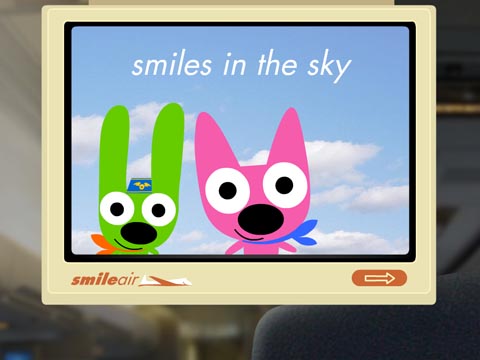 The screenshot of the slideshow.
Trivia
External Links
[secure.smilebox.com/templates/14660/template.swf Template SWF.]